
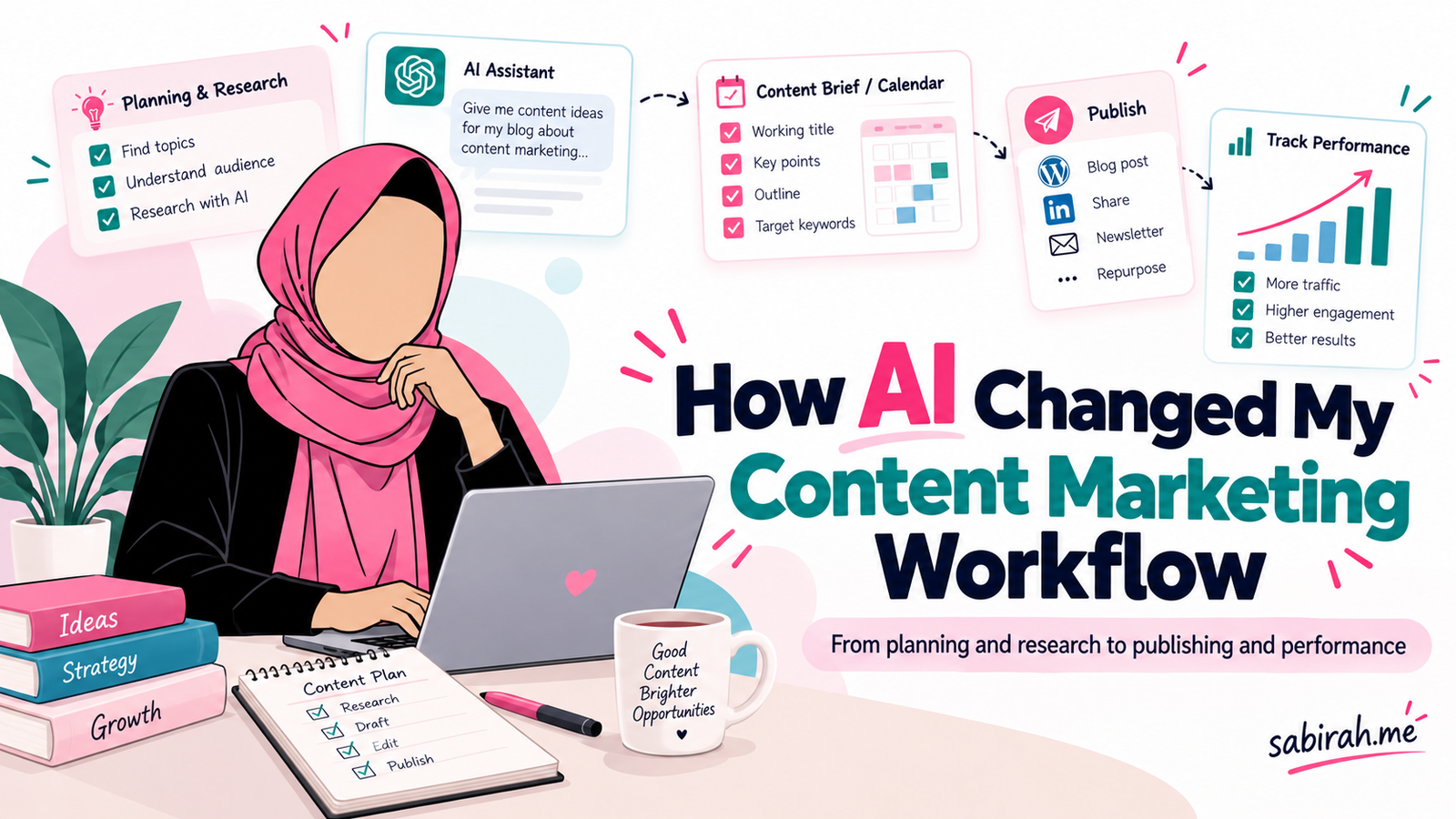
A few years ago, one common instruction we received as content marketers was simple: Don’t use AI-written content.
I remember how much the conversation revolved around detecting AI-generated writing, making sure content sounded human, and avoiding anything that looked like it came straight from ChatGPT.
At that time, I wasn’t particularly interested in letting AI write my articles either.
I had already spent years working in content marketing. Researching a topic, studying competitors, preparing outlines, talking to product teams, and writing content were all familiar parts of my work.
So when generative AI became widely accessible around late 2022 and early 2023, I wasn’t immediately convinced that it needed to become part of my everyday process.
But over time, something interesting happened.
The question changed from “Should I use AI to write content?” to “Where can AI actually help me do my job better?”
And that changed much more than my writing process.
Today, I use ChatGPT for research exploration, content strategy, topical planning, content briefs, repurposing, and even analyzing performance data. At the same time, I’ve become more careful about what I ask AI to do and what I need to handle myself.
I want to share how I made that transition, especially through my years working with WordPress products at weDevs and my more recent experience exploring semantic content workflows with SemanticOS.
I’m also sharing some practical prompts and a content strategy template you can adapt for your own projects.
Before AI, content marketing involved a lot of manual groundwork
I worked at weDevs for around six and a half years, primarily in content strategy and marketing for WordPress products.
When you’re working with software products, content marketing isn’t limited to writing blog posts.
You need to understand the product, the people using it, their problems, competing solutions, and how different pieces of content can help users at different stages.
For example, imagine you’re planning content for a WordPress plugin that helps people manage their websites.
Your content opportunities could include:
- Tutorials explaining how to perform specific tasks.
- Educational articles about the problems the plugin solves.
- Comparison posts for people evaluating different solutions.
- Product documentation for existing customers.
- Videos showing features and workflows.
- Social posts highlighting useful tips and product updates.
Before AI became part of my process, researching and organizing these opportunities required a lot of manual work.
I’d review Google search results, competing blogs, keyword research tools, product documentation, customer questions, and existing content.
Then I’d try to connect everything with the product’s marketing goals.
It worked, of course. Content marketers have been doing this for years.
But some parts of the process were repetitive.
Sometimes I’d spend considerable time organizing research that was already available in different places. Other times, I’d have a long list of keywords but still need to figure out which topics deserved content and how they related to one another.
AI didn’t eliminate those decisions. It made exploring the possibilities easier.
My first shift: I stopped thinking of AI as just a writing tool
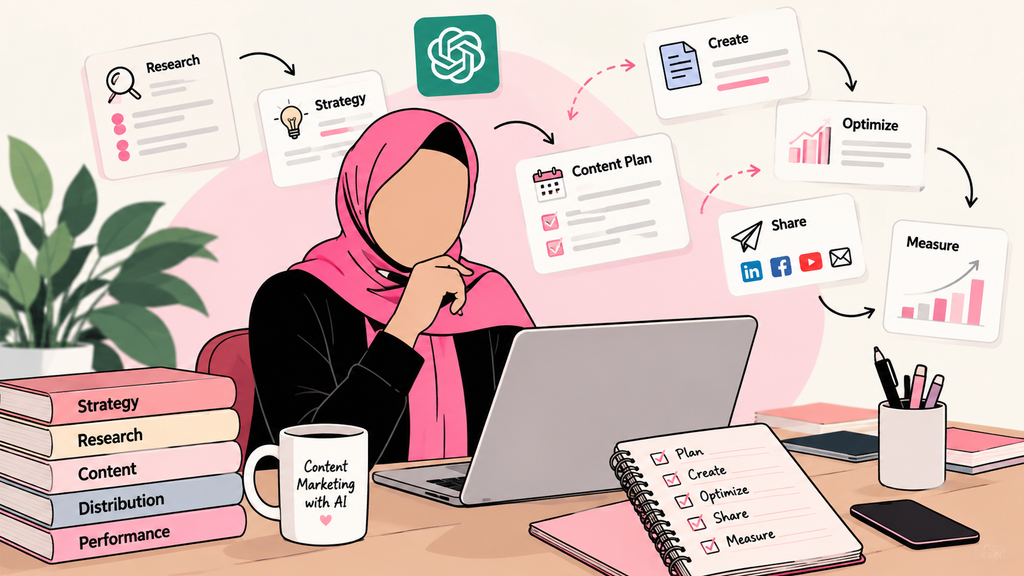
Initially, most conversations about ChatGPT focused on writing.
Give it a topic, ask for a 1,500-word article, and get a draft within seconds.
That sounded impressive, but I wasn’t particularly satisfied with the idea.
A generic article isn’t necessarily useful content, especially when you’re writing for a specific product and audience.
Over time, I found more value in using ChatGPT before the writing stage.
I could explain a product, describe its audience, share existing content, and ask the AI to help identify questions, gaps, possible relationships, and alternative approaches.
Instead of starting with “Write me a blog about WordPress,” I could start with a more useful conversation:
“What problems are WordPress website owners trying to solve in this area? Which of these topics need a tutorial, which need a comparison, and which are better addressed through documentation?”
The difference was significant.
I wasn’t asking AI to complete the work. I was using it to explore the work I needed to do.
And once I started approaching it that way, I found opportunities to use it throughout the content marketing process.
How I use ChatGPT to plan a content strategy
Content strategy is probably one of the areas where I find AI assistance particularly useful.
But I don’t begin by asking ChatGPT to generate 100 blog ideas.
A list of topics without business context is rarely a strategy.
I first need to understand what we’re trying to achieve, which audience matters, what content we already have, and where our biggest opportunities might be.
Starting with annual planning
For annual content planning, I begin with questions such as:
- What are the main business and marketing goals this year?
- Which products, features, or audience segments are priorities?
- What content already performs well?
- Which important topics have limited coverage?
- What can the team realistically produce?
- How will we measure progress?
For a WordPress plugin business, the goals might include growing non-branded organic traffic, supporting feature adoption, improving product-related rankings, or attracting users who are comparing alternatives.
These goals would require different content approaches.
An educational tutorial might attract someone at the beginning of their journey, while a detailed comparison could help someone closer to making a purchase.
I use ChatGPT to organize these considerations and challenge my initial ideas.
One of my annual content strategy prompts
Prompt: Annual Content Strategy
Act as an experienced SaaS content strategist with knowledge of WordPress products, SEO, and content marketing.
I’m preparing a 12-month content strategy for a WordPress plugin.
Business goals: [Add goals]
Product and features: [Add details]
Target audience: [Describe users]
Existing content performance: [Add GSC/GA4 findings]
Main competitors: [Add competitor URLs]
Available resources: [Team, budget, publishing capacity]
Before creating the strategy, identify missing information and ask relevant questions.
Then help me organize the strategy into quarterly priorities, important topics, audience problems, content formats, distribution channels, and measurable KPIs.
Don’t invent competitor data, search volumes, or product features. Clearly separate evidence from assumptions.
One thing I’ve learned is that the context matters more than making a prompt sound sophisticated.
If I provide incomplete information, ChatGPT may produce an impressive-looking plan that isn’t particularly useful.
If I provide the right business context, existing data, and limitations, I can have a much more productive conversation.
I still make the final decisions about which priorities are worth pursuing.
Turning an annual strategy into a monthly content plan
Annual planning gives me the direction, but monthly planning is where the actual execution becomes clearer.
At the beginning of a month, I want to know what we should publish, what existing content needs improvement, what product updates are coming, and what opportunities we might have missed.
I don’t think every monthly content plan needs to start from scratch.
If an existing blog is gaining impressions but isn’t attracting enough clicks, improving it might be more valuable than publishing another article on a similar topic.
Likewise, if a feature is being launched, supporting content might become more important than topics originally scheduled.
So I bring together the previous month’s performance, content gaps, product priorities, and available resources.
Then I use ChatGPT to help organize the work.
My monthly planning prompt
Prompt: Monthly Content Calendar
Act as my content planning assistant.
I will provide our quarterly goals, existing content inventory, Google Search Console performance, upcoming product updates, and publishing capacity.
Suggest a monthly content plan that balances:
- New content opportunities.
- Existing content that needs updating.
- Product-related educational content.
- Comparison and decision-stage content.
- Content repurposing and distribution.
For each recommendation, include the audience, search intent, suggested format, reason for prioritization, and the evidence supporting it.
Flag overlapping topics, unsupported assumptions, and anything that requires additional research.
The output is a starting point, not the final editorial calendar.
I review the suggestions, remove unnecessary topics, adjust priorities, and check whether the plan is realistic.
Sometimes AI suggests five articles that could easily become one comprehensive resource. Other times, one broad topic needs to be divided into several pieces because the search intents are different.
That judgment still comes from understanding the product, users, and search results.
A practical example: Planning content for a WordPress plugin
Here’s an illustrative example based on the type of product content marketing I’ve worked with.
Let’s say we’re planning content for a WordPress form plugin.
The broad topic is “WordPress contact forms.”
If I simply ask AI for blog ideas, I’ll probably get familiar suggestions:
“How to Create a Contact Form in WordPress.”
“Best WordPress Contact Form Plugins.”
“How to Customize WordPress Forms.”
These topics are fine, but they’re only the beginning.
I’d want to understand the different needs behind them.
Someone searching for how to create a contact form may be a beginner looking for a tutorial.
Someone comparing contact form plugins may be evaluating products.
Someone searching for form spam prevention may already have a form and be experiencing a problem.
And someone searching for conditional logic in WordPress forms may need a more advanced feature explanation.
All four users are interested in forms, but they don’t need the same content.
I’d organize the opportunities something like this:
| Topic | User need | Recommended format |
|---|---|---|
| How to create a contact form in WordPress | Complete a task | Step-by-step blog + short video |
| Best WordPress form plugins | Compare solutions | Comparison article |
| How to prevent contact form spam | Solve a problem | Troubleshooting tutorial |
| Conditional logic in WordPress forms | Understand and implement a feature | Guide + demo video |
| Common contact form mistakes | Avoid problems | Checklist or infographic |
I can use ChatGPT to help organize the topics and identify missing questions.
Then I’d validate them using search results, keyword data, product capabilities, and the existing content inventory.
This is an important distinction.
AI can help me organize a topical opportunity. It doesn’t automatically prove the opportunity exists.
And not every topic deserves a new blog. Sometimes the best solution is updating an existing tutorial, adding a documentation section, or creating a short video.
How I decide whether a topic should be a blog, video, infographic, or something else
This part of content marketing has become more interesting to me over time.
We often start planning with blog topics because blogs are familiar and relatively straightforward to produce.
But a blog isn’t always the best way to explain something.
If someone wants to know where to click inside a WordPress dashboard, a short screen-recording video may help more than a long article.
If they need to compare features and limitations, a well-organized comparison page may be better.
If they’re trying to understand a workflow, a diagram or checklist could make the information easier to follow.
I think about three things before deciding the format:
What is the user trying to accomplish? Are they learning, comparing, troubleshooting, or making a decision?
What type of explanation would help most? Do they need detailed text, a demonstration, a visual summary, or a reference they can return to?
Where will this content be discovered and used? Search, YouTube, social media, product documentation, newsletters, and communities all create different expectations.
I use ChatGPT to compare the possible formats, but I don’t automatically select whatever it recommends.
My content-format selection prompt
Prompt: Choose the Right Content Format
I have a list of content topics for a WordPress SaaS product.
For each topic, analyze the likely audience need, search intent, information complexity, and possible distribution channels.
Recommend whether the primary format should be a blog, tutorial, comparison page, documentation, video, infographic, downloadable resource, or a combination.
Explain the recommendation.
Also identify which topics could be repurposed into shorter content and which ones should be consolidated to avoid unnecessary overlap.
Treat these as hypotheses until validated against user needs and search results.
One practical benefit is that this helps me see content as a connected collection of resources instead of an isolated publishing calendar.
AI has also changed how I prepare content briefs
I used to spend a lot of time turning research into a structured brief for writers.
The brief needed to explain the audience, primary objective, search intent, required topics, product references, internal linking opportunities, and sometimes examples or screenshots.
Today, I can use AI to organize those details more quickly.
But I still need to give it reliable research.
For example, I might provide:
- The target topic and audience.
- Relevant product documentation.
- Important questions from search results.
- Existing articles on the website.
- Verified product features.
- Competitor content observations.
- Requirements for screenshots or examples.
Then I’ll ask ChatGPT to create a brief.
I pay particular attention to whether it has included unsupported product claims, unnecessary sections, or headings that repeat the same idea.
A good content brief shouldn’t just tell a writer what headings to use.
It should help the writer understand what the reader needs to know and what evidence or demonstrations are required.
The prompt I use as a starting point
Prompt: SEO Content Brief
Create a detailed content brief using the supplied research and product information.
Include the target audience, primary intent, article objective, proposed structure, important questions, original examples needed, internal linking opportunities, and a content quality checklist.
Clearly distinguish verified product information from suggested topics that require research.
Avoid unnecessary headings added only to include keywords.
Prioritize usefulness, clarity, and original information.
Writing and editing: Where I still spend time myself
Using AI for planning doesn’t mean every article should be written by AI.
In fact, one of my biggest concerns about AI-assisted content is how easy it has become to produce something that sounds reasonable without offering much value.
AI can produce a polished introduction, a logical structure, and paragraphs that seem informative.
But if you remove the formatting, there’s sometimes very little original information left.
For product content, I still want real screenshots, accurate feature explanations, practical examples, and details that come from actually understanding how the product works.
I find AI helpful for editing and reviewing.
For example, I might ask it to identify repetitive sections, unclear explanations, missing transitions, or places where a beginner might need more context.
I don’t necessarily accept every suggestion.
Sometimes AI removes the personality from a sentence while trying to make it more professional.
Sometimes it introduces generic explanations that weren’t needed.
So I treat it as an editor whose suggestions require review, not as someone with final authority over the article.
One blog can become several useful pieces of content
Another area where AI has become useful is content repurposing.
Let’s go back to the contact form tutorial.
Once the blog is published, the information might also support a short video, a LinkedIn post, a visual checklist, or an email to existing users.
But I don’t think repurposing means copying the same content into several formats.
The goal is to adapt the useful part to the context.
A LinkedIn reader might appreciate a short discussion about common mistakes.
A YouTube viewer may want to see the actual WordPress settings.
Someone reading the blog may need detailed instructions and troubleshooting advice.
I use ChatGPT to identify those possibilities and prepare initial drafts.
My content repurposing prompt
Prompt: Repurpose a Published Blog
I’m sharing an existing blog article.
Identify the strongest insights, practical examples, and information that could be useful on other channels.
Suggest:
- Two LinkedIn post angles.
- One short video concept.
- One visual checklist or infographic idea.
- One newsletter angle.
- Relevant community discussion opportunities.
Adapt the message to each channel rather than summarizing the article repeatedly.
Preserve the original facts and don’t introduce unverified claims.
Avoid overly promotional language.
I also consider whether a piece of content could support a contribution to another relevant website.
For example, a useful WordPress tutorial might reveal an opportunity for a guest article, a community discussion, or a resource that other authors would genuinely want to reference.
AI can help shortlist relevant publications or suggest outreach angles.
But I still need to verify whether those websites are appropriate, whether they accept contributions, and whether the proposed content offers something new.
I don’t treat backlinks as something that should be generated in bulk.
I’d rather have a relevant mention earned through a genuinely useful contribution than build a list of unrelated websites simply because they provide links.
More recently, SemanticOS has changed what I’m exploring
My experience at weDevs gave me a strong foundation in product-led content marketing, SEO, and planning.
More recently, I’ve been working with SemanticOS, and that’s encouraged me to explore content strategy from a somewhat different perspective.
I’m now spending more time thinking about entities, attributes, relationships, semantic fields, and topical coverage.
Traditional keyword research is still useful, but I’m interested in going beyond a list of keywords.
For example, if I’m planning content around WordPress contact forms, I can look at the relationships between contact forms, spam protection, validation, notifications, integrations, conditional logic, accessibility, and conversion tracking.
These are connected concepts.
Understanding those relationships helps me think about which information belongs on a central page, which deserves a separate guide, and how the resources should connect through internal links.
SemanticOS is part of my current learning and experimentation in this area.
I’m not presenting that work as a proven shortcut to higher rankings or AI citations. What interests me is how semantic planning can make content research more organized and expose relationships that a simple keyword list might miss.
That feels like a natural continuation of what I’ve been doing in content strategy for years.
What happens after I hit Publish
This is probably the part of the content marketing process I want to emphasize most.
Publishing an article doesn’t mean the work is finished.
I want to know whether Google can index it, which queries it starts appearing for, whether those queries match the intended topic, and what I can learn from the performance.
Google Search Console is one of the main tools I use for this.
First, I check whether the page is indexed
After publishing, I check the article using the URL Inspection tool in Google Search Console.
I want to confirm that Google can access the page, that the intended canonical URL is being recognized, and whether the URL is indexed.
If there is an indexing problem, I investigate the reason before requesting indexing.
I also check whether the article has appropriate internal links from relevant pages.
An indexing request doesn’t guarantee that Google will index the page, so I don’t treat submitting the URL as the end of the process.
Then I look at the search queries the article is picking up
Once an article begins receiving search impressions, I go to:
Search Console → Performance → Search results → Pages
I select the specific article and open the Queries tab.
This is one of my favorite parts of content analysis.
Sometimes an article starts receiving impressions for the primary topic we planned.
Other times, Google shows it for related questions and variations we didn’t specifically consider during planning.
Those unexpected queries can be useful.
Imagine publishing an article about creating a WordPress contact form.
Over time, the page might start receiving impressions for searches relating to form notifications, spam prevention, or email delivery problems.
I wouldn’t automatically add every query to the article.
Instead, I’d examine whether those searches represent closely related information the reader would reasonably expect to find.
If they do, I might expand the article with a relevant explanation or link to a more detailed guide.
If they represent a separate intent, I’d consider whether a different page would serve those users better.
How I use GSC data to improve an existing blog
I pay particular attention to impressions, clicks, CTR, and average position.
These metrics help me identify different opportunities.
For example, if a page receives substantial impressions but has a low CTR, I might review its title, meta description, search intent alignment, and actual search results.
If a page is appearing for a relevant query but doesn’t answer that question well, I might improve the corresponding section.
If several articles are competing for very similar topics, I might review whether their content is overlapping and whether consolidation or clearer differentiation would help.
And if an older article is attracting traffic but contains outdated screenshots or instructions, that becomes an obvious refresh opportunity.
The goal isn’t to change content every time a position fluctuates.
It’s to understand whether the article is satisfying the right search intent.
My GSC optimization prompt
Prompt: Analyze Search Console Data
Act as an SEO content analyst.
I’ll share an existing article, its intended topic, and a Google Search Console export containing queries, clicks, impressions, CTR, and average position.
Analyze the data and identify:
- Queries that already match the article’s intent.
- Relevant queries that reveal missing information.
- High-impression, low-CTR opportunities.
- Queries where the article may need clearer answers.
- Queries that should be served by another page.
Recommend specific updates and explain the evidence behind each recommendation.
Don’t invent rankings, traffic, search volume, or reasons for performance changes.
Present the recommendations in priority order.
I find this useful because it turns a long spreadsheet of queries into an organized set of questions.
But I still verify the findings and review the actual article before making changes.
I also check ranking positions, but not in isolation
Another important part of my process is monitoring the queries a particular page actually ranks for.
I filter GSC data to the exact article URL rather than assuming that a target keyword automatically ranks for that page.
I compare query-level performance across different periods and pay attention to changes in clicks and impressions as well as positions.
It’s important to understand that Search Console reports average position, not a fixed ranking that every user sees.
A page can appear in different positions depending on the query, location, device, and search context.
When I need a more specific ranking check, I look at the search results in the relevant market and compare them with GSC data.
I also avoid drawing strong conclusions from very small amounts of data or short-term fluctuations.
How I decide whether an update worked
When I optimize an article, I want to know what changed afterward.
So I record what I updated and when.
Then I compare appropriate periods and examine:
- Whether the relevant queries gained or lost visibility.
- Changes in organic clicks and impressions.
- CTR changes for important queries.
- Whether the article is appearing for new relevant questions.
- Whether the page continues to serve its intended search intent.
Where relevant, I also use GA4 to look at the visitor behavior that follows an organic click.
This doesn’t prove that every improvement came from my edits. Rankings and traffic can change for many reasons.
But documenting the changes makes the optimization process more useful than making random updates and hoping for better results.
Now I’m also thinking about AI search visibility
Content discovery is changing.
People still use traditional search engines, but they’re also asking questions through AI-powered search experiences and assistants.
This has made me more interested in how content is structured, explained, and connected.
I want an article to make its main point clear.
If it’s explaining a process, the steps should be understandable.
If it makes a claim, it should include relevant evidence.
If it introduces a technical concept, the explanation should make sense in context.
And if the content is based on real experience, that experience should be visible in the article.
These are useful principles for readers regardless of whether they arrive from Google Search, an AI Overview, or another source.
I also pay attention to internal linking, appropriate structured data, crawlability, and whether important information is available in the page’s text.
However, I don’t believe there’s a magic prompt or checklist that guarantees an appearance in AI Overviews or a citation from an AI assistant.
Google’s guidance continues to emphasize helpful, original content and foundational SEO rather than special markup tricks for AI features.
So my approach is to make content genuinely useful, technically accessible, and easy to understand, while monitoring how search experiences evolve.
A prompt I use to review AI-search readiness
Prompt: Review Content for SEO and AI Search
Review the following article from the perspective of a reader, search engine, and AI-powered answer system.
Evaluate whether the article:
- Answers its primary question clearly.
- Explains important concepts without unnecessary ambiguity.
- Includes original examples or useful experience.
- Supports factual claims with appropriate sources.
- Covers relevant entities and relationships naturally.
- Has a logical heading structure.
- Offers appropriate internal linking opportunities.
- Contains unsupported statements or repetitive sections.
Recommend improvements based on usefulness and clarity.
Do not promise rankings, AI Overview inclusion, or AI citations.
Again, I don’t apply every suggestion.
Sometimes the most useful improvement isn’t adding more information. It’s simplifying an existing explanation.
What I still don’t outsource to AI
After using AI across different parts of the content marketing workflow, I’ve also become more aware of its limitations.
I don’t want AI deciding what a product can do without checking the documentation or testing the feature.
I don’t want it inventing customer experiences, research findings, statistics, or business results.
And I don’t want a content strategy that looks impressive but ignores the team’s resources or actual business priorities.
There are also things that are difficult to replace with a prompt.
Understanding why a product feature matters to users.
Recognizing when a topic doesn’t deserve another article.
Knowing when a writer’s personal experience makes an explanation more valuable.
And deciding when a piece of content is genuinely ready to publish.
AI can assist with the work around those decisions.
But I still believe those decisions need a responsible person behind them.
My AI-assisted content marketing workflow today
If I were to simplify the process I follow or aim to follow now, it would look something like this:
| Stage | Where AI helps | What I handle myself |
|---|---|---|
| Annual strategy | Organizing goals, topics, and planning options | Setting priorities and business direction |
| Monthly planning | Identifying content opportunities and gaps | Choosing what to produce |
| Research | Exploring questions and relationships | Validating sources and findings |
| Content briefs | Preparing structure and research checklists | Adding product knowledge and original insights |
| Writing and editing | Reviewing clarity, structure, and repetition | Accuracy, voice, and final editorial judgment |
| Distribution | Adapting ideas for different channels | Selecting channels and building relationships |
| Performance analysis | Organizing GSC data and possible improvements | Interpreting results and approving changes |
| AI search optimization | Reviewing clarity and topical coverage | Verifying usefulness, evidence, and technical accuracy |
I don’t necessarily use AI at every stage of every project.
The objective isn’t to fit ChatGPT into every activity.
It’s to use it where it actually helps.
A content planning template you can use
I’ve organized the main parts of this process into an AI-assisted content strategy template.
It covers annual planning, monthly content calendars, topic research, format selection, content briefs, distribution, and performance reviews.
The idea is simple: rather than asking AI to build a strategy from almost no information, gather the context first.
Then use that context to make better decisions.
[Download my AI-Assisted Content Strategy & Planning Template]
You can adapt it for a WordPress plugin, SaaS company, ecommerce website, agency, or your own content project.
Looking back, the biggest change wasn’t writing faster
When I think about how AI has changed my work, faster writing isn’t the first thing that comes to mind.
What feels different is how I approach the work before and after writing.
I can explore alternative ideas more easily, organize complicated research, question my content plans, and turn performance data into a more structured list of improvement opportunities.
My experience at weDevs gave me years of practical exposure to content strategy and product marketing.
Working with SemanticOS is now helping me explore newer approaches to semantic research and AI-assisted content planning.
And somewhere between those experiences, my relationship with AI has changed quite a lot.
A few years ago, I was thinking about whether content marketers should use AI at all.
Now I’m more interested in how to use it thoughtfully without losing the knowledge, experience, and judgment that make content valuable in the first place.
I still research. I still question ideas. I still edit. I still make decisions about what deserves to be published.
I just have another tool in the process now.
And I’m continuing to learn how to use it better.
Leave a Reply