
I’ve spent years working with content, SEO, and website performance. So looking at Google Analytics reports was nothing new to me. I knew how to check traffic, landing pages, and search performance.
But while preparing a monthly report for an online flight-booking website, I found myself asking a slightly different question: we were bringing visitors to the site, but what were they actually doing after landing there?
Were they finding the flight they wanted? Were they checking multiple dates, comparing fares, or getting stuck somewhere? And when someone reached the booking stage but didn’t complete it, what could we learn from that?
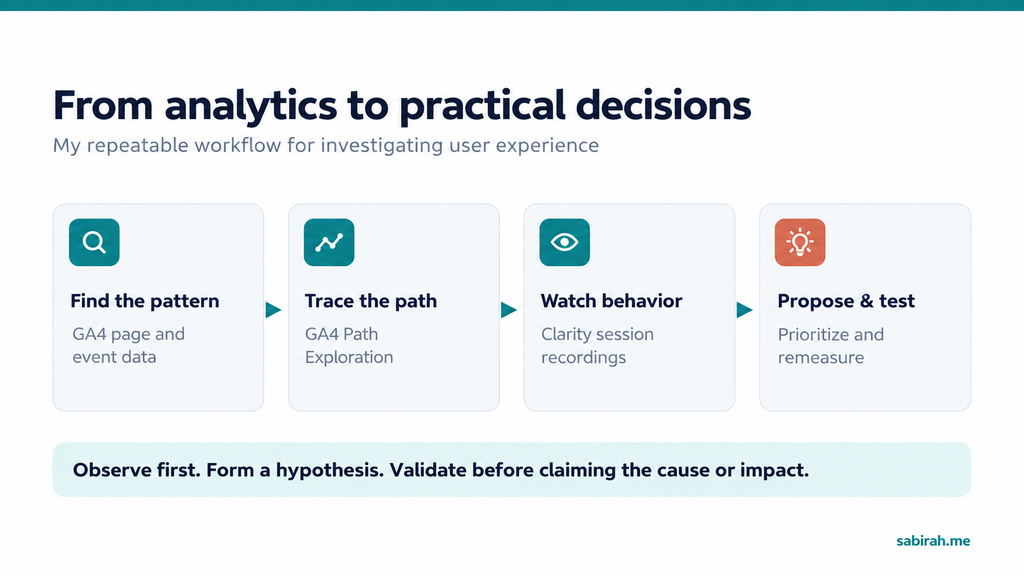
That question led me deeper into Google Analytics 4 (GA4) and Microsoft Clarity. This is how I combined the two tools to explore real user journeys and turn my observations into practical recommendations.
This is a real client project, with the client’s identity withheld. The figures reflect one reporting period, and behavioral observations are not proof of a specific cause or conversion uplift.
I started with a monthly report, not a UX audit
At the time, we were working on SEO, route-specific landing pages, and content for the website. Google Search Console was showing increasing visibility, which was encouraging. But traffic was only one part of the story.
For the report, I wanted to explain what happened after users arrived. Rather than opening every analytics report at once, I began with three questions:
- which pages mattered most
- What happened after users reached them, and
- Where should we investigate further?
1. I looked at pages and events in GA4
I opened Reports → Engagement → Pages and screens. The flight-search page stood out.
During the period I was reviewing, it recorded about 6,700 page views, compared with around 2,800 for the homepage. Reservation and booking-success pages had much lower page-view counts.
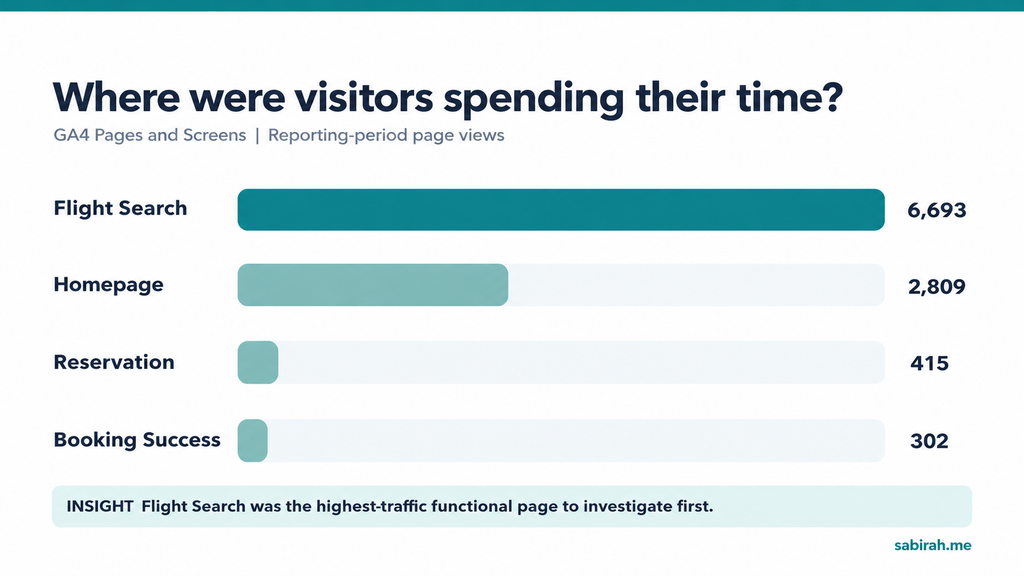
That didn’t tell me the booking conversion rate. But it helped me prioritize the search page: it was an important point of interaction and a sensible place to begin asking more detailed questions.
Next I checked the Events report. The search-flight-click event appeared 4,740 times, generated by 249 users. The form-start event appeared 374 times, generated by 117 users. GA4 recorded 13,301 page_view events in the same report.
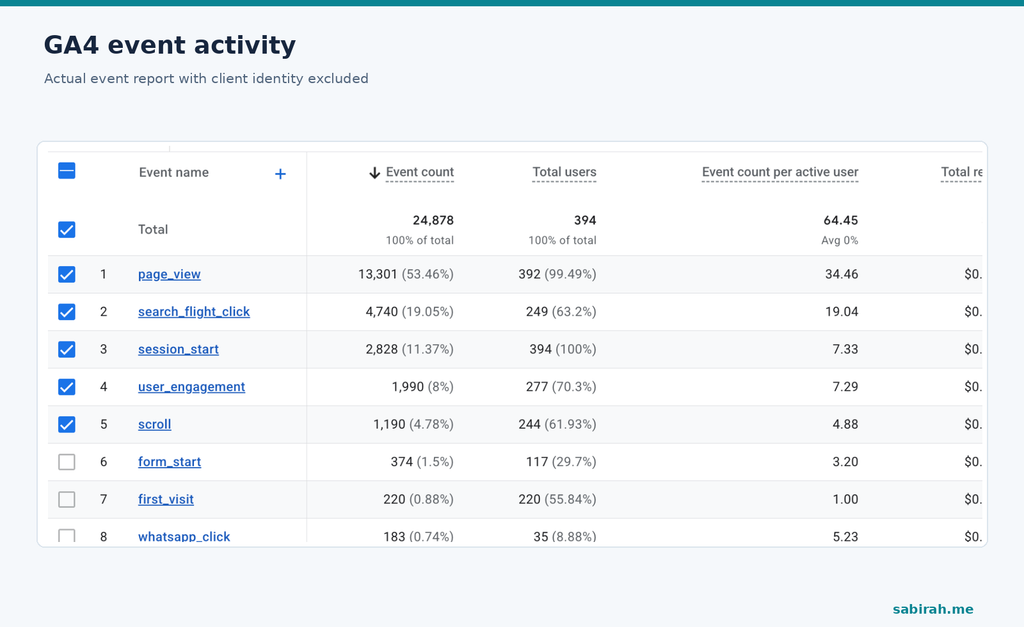
At first glance, it might be tempting to compare 4,740 search clicks with 374 form starts and calculate a drop-off rate. I didn’t do that, because these are event counts, not consecutive, unique users moving through a validated funnel. A single person may click search repeatedly; the two events may also have different triggering rules.
What the data did tell me was that people were interacting with flight search frequently. Now I needed to understand where they went.
2. GA4 Path Exploration changed how I looked at the journey
In GA4, I opened Explore → Path exploration and used the flight-search page as a starting point. I expected a straightforward path: homepage, search, reservation, booking success. The observed paths were much less linear.
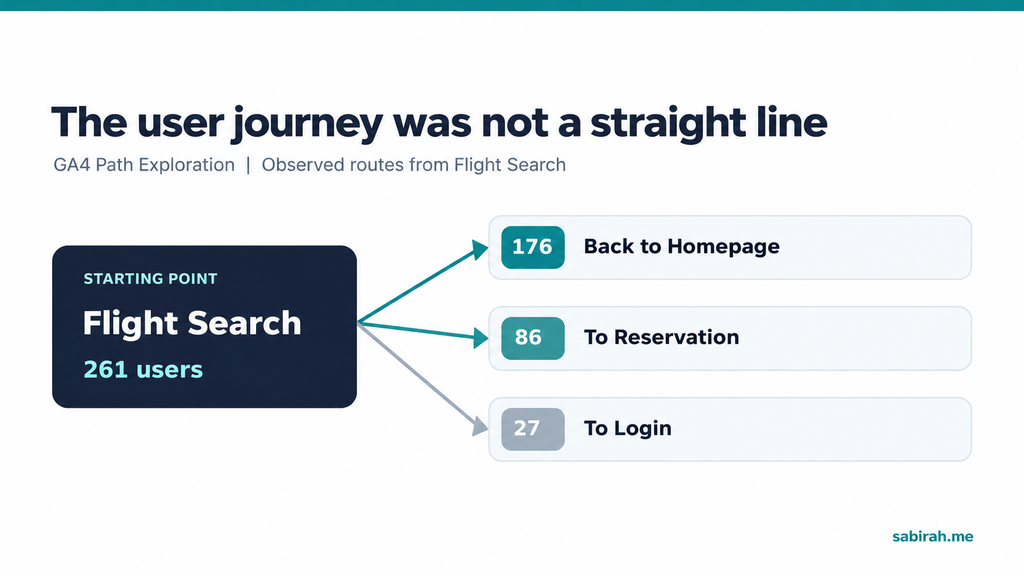
In the analysis, paths from Search often returned to the homepage; other paths continued to reservation or login. Looking at Reservation as a starting point also showed users moving toward success alongside paths back to search and the homepage.
The return paths were interesting, but they didn’t automatically mean something was wrong. Someone booking a flight might compare dates, double-check terms, or simply reconsider the trip. Path Exploration shows movement, not motivation. And those node counts shouldn’t be presented as an actual conversion funnel.
This is where I reached the limit of GA4 for the question I was asking. I could see what happened next. I still couldn’t see how the interface had felt to the visitor.
3. Then I opened Microsoft Clarity
I switched to Clarity to investigate the pages GA4 had highlighted. The session recordings made the data feel much more concrete. Instead of staring at a path diagram, I could watch people interact with search forms and flight listings.
Repeated flight searches and changing dates
In a few sessions, visitors changed their travel dates or route more than once. Some opened flight details and compared options before searching again. Seeing this made me question how easily the site supported fare comparison, particularly when travelers needed to compare several combinations.
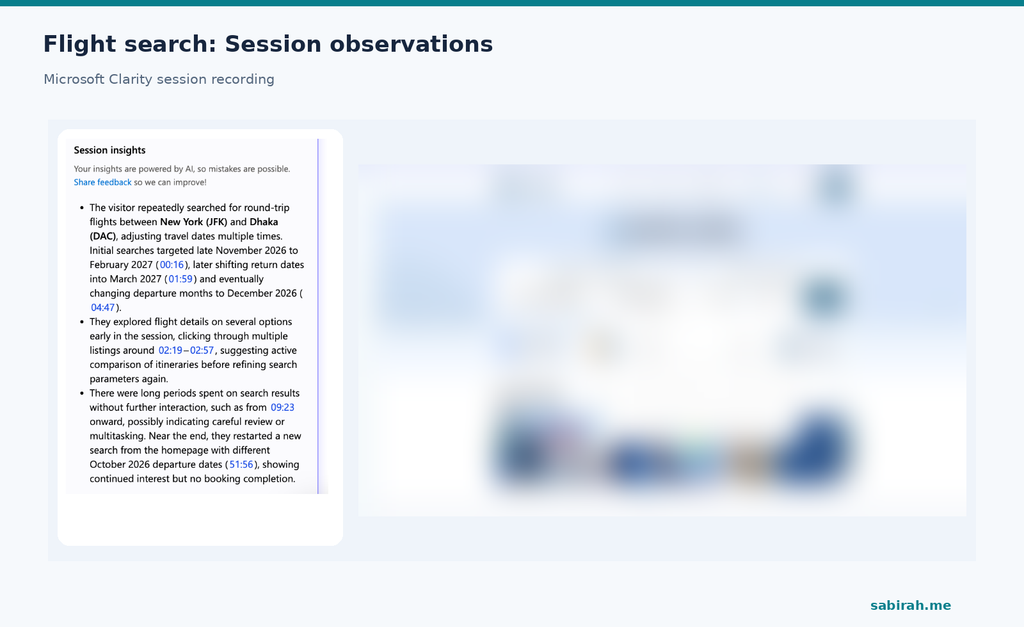
I avoided treating repeated searches as a failure. They can be perfectly normal in travel. But I noted questions worth investigating:
- Were baggage details clear?
- Was the full price easy to compare?
- Did users understand the filters?
- Were the next steps obvious?
The mobile experience raised different questions
One mobile session showed a visitor searching, exploring filters, and reviewing flight details before reaching booking confirmation. That was a reminder that not every complicated-looking journey ends badly. People may spend time comparing and still complete their task.
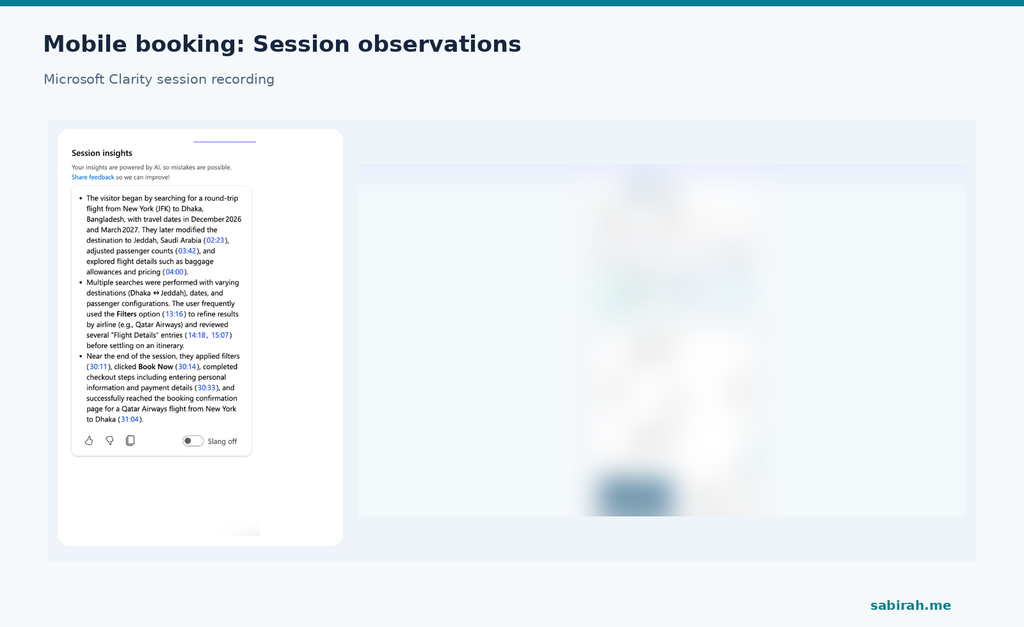
For me, the useful question wasn’t whether mobile users clicked many times. It was whether the interface made the information they needed easy to find and compare.
One payment-stage recording stood out
Another session was especially interesting. The visitor explored different flight options, moved into checkout, and initiated payment. Clarity’s session summary indicated that payment was cancelled. The visitor later tried again but did not complete payment in the observed session.
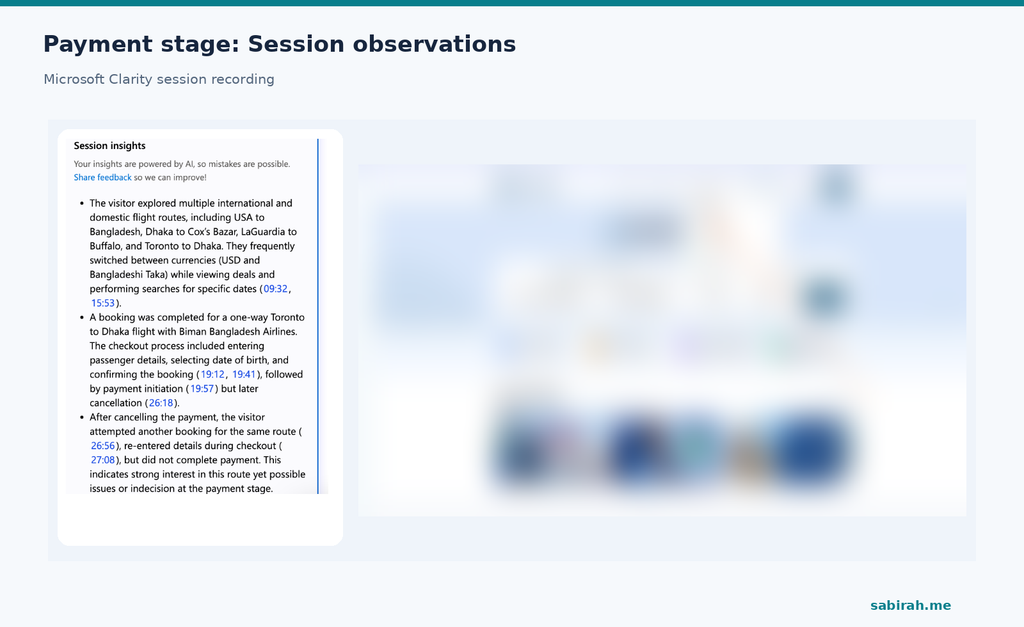
I couldn’t confidently tell why that happened. It could have been hesitation, a gateway issue, a pricing concern, or something else. But it was enough to put the payment transition and reservation flow on my investigation list.
I also treated Clarity’s AI-generated session summaries as helpful starting points, not unquestionable evidence. The recordings themselves need to be checked before drawing stronger conclusions.
4. I checked Clarity’s behavioral signals
The Clarity dashboard added another layer. It showed a dead-click metric of 23.74% and a quick-back metric of 12.82% in the period I reviewed. Dead clicks can point to interactions without an expected response; quick backs show rapid returns to a previous page.
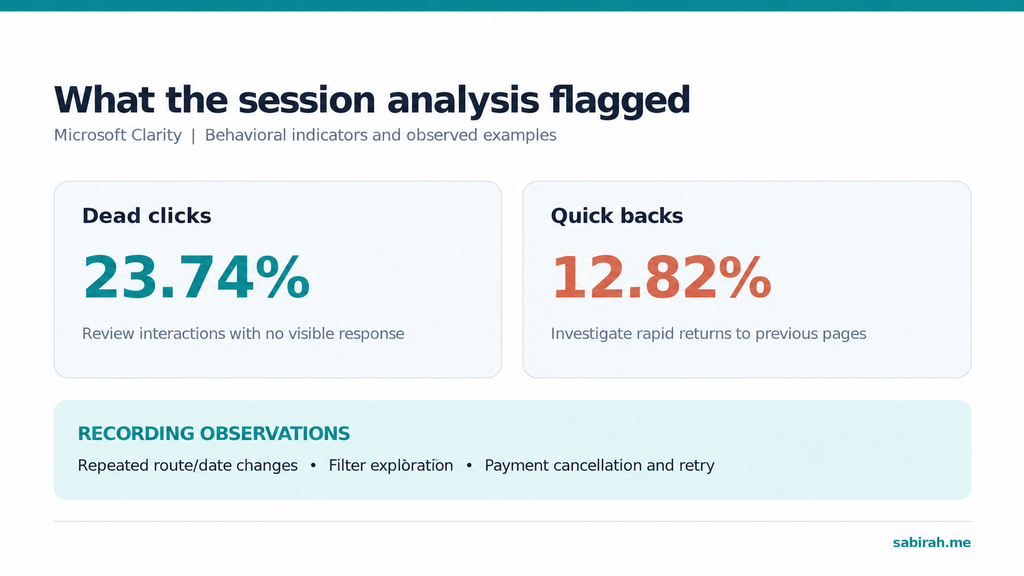
I didn’t take either number as proof that the website had a UX problem. A quick return may be intentional, and a dead-click signal needs context. I used them to narrow down the recordings and interactions worth reviewing.
I also checked performance signals on key pages. Some looked healthy, while others suggested interaction and layout stability needed attention. I considered these useful supporting clues, not a complete explanation for booking behavior.
5. Combining the tools gave me better questions
By this point, I had two different views of the same experience. GA4 showed broader patterns across pages and events. Clarity gave me examples of how individual sessions unfolded. Neither tool could read a user’s mind, and they weren’t necessarily showing the very same people.
But together they helped me ask practical questions: Why were users returning from search to the homepage? How easy was it to compare flight details? What happened around reservation and payment? Which steps did we need to measure more accurately?
6. I turned the findings into a short improvement plan
When I summarized the work for the team, I focused on what could be investigated and improved, rather than presenting unsupported claims about why users left.
Search-result clarity
I recommended reviewing full-fare visibility, baggage allowances, refund rules, filters, flight details, and the prominence of booking actions, especially on mobile. If comparison is a natural part of the journey, the product should support comparison clearly.
Reservation and payment
I recommended reviewing the transition into checkout, the information shown before payment, login requirements, the payment gateway, and trust signals. A single cancelled-payment recording could not quantify a widespread issue, but it provided a concrete starting point.
More reliable funnel measurement
I also recommended defining and validating a dedicated GA4 funnel: Flight search → Flight selected → Reservation started → Payment initiated → Booking success. That would help the team measure progression and abandonment with consistent event definitions instead of inferring conversion rates from unrelated event totals.
What I’d do differently next time
I’d start with a measurement plan. Before interpreting anything, I’d make sure the events were named consistently and triggered at the intended moments. I’d also compare first-time and returning visitors, organic and other traffic sources, and mobile versus desktop behavior.
I’d keep a simple observation log with three separate columns: what I saw, what I think might explain it, and what I want to test. That separation matters. Observation is evidence; explanation is a hypothesis.
And after any changes were made, I’d review the same well-defined measures and a new sample of recordings. Without that follow-up, I can say the analysis uncovered questions and priorities, not that it increased conversions.
A simple way to try this on your own website
If you’re working on an ecommerce store, SaaS product, travel website, or any site where a visitor should complete a specific action, start small. Pick one important action, find its key pages in GA4, use Path Exploration to see common routes, and then review matching page experiences in Clarity.
Look for repeating patterns across multiple recordings. Write down what you observed before explaining why it happened. Turn a few high-priority observations into testable recommendations. And make sure your recording setup respects privacy and consent requirements, with sensitive personal and payment information masked.
The biggest thing I learned
For a long time, I was mainly using analytics to understand how visitors discovered a website. This project pushed me to pay more attention to what happened afterward.
Someone can find your site through Google, use your search form, compare options, and still leave. If we only report traffic, we might miss important questions about that experience.
GA4 helped me see where visitors went. Microsoft Clarity helped me investigate what they did along the way. The most valuable part wasn’t a dashboard or a percentage. It was learning to connect the two tools, ask better questions, and make more informed recommendations.
That’s how I want to keep using analytics: not just to report numbers, but to understand the experience behind them.
Leave a Reply